Team Averages Hide the Agent in Trouble
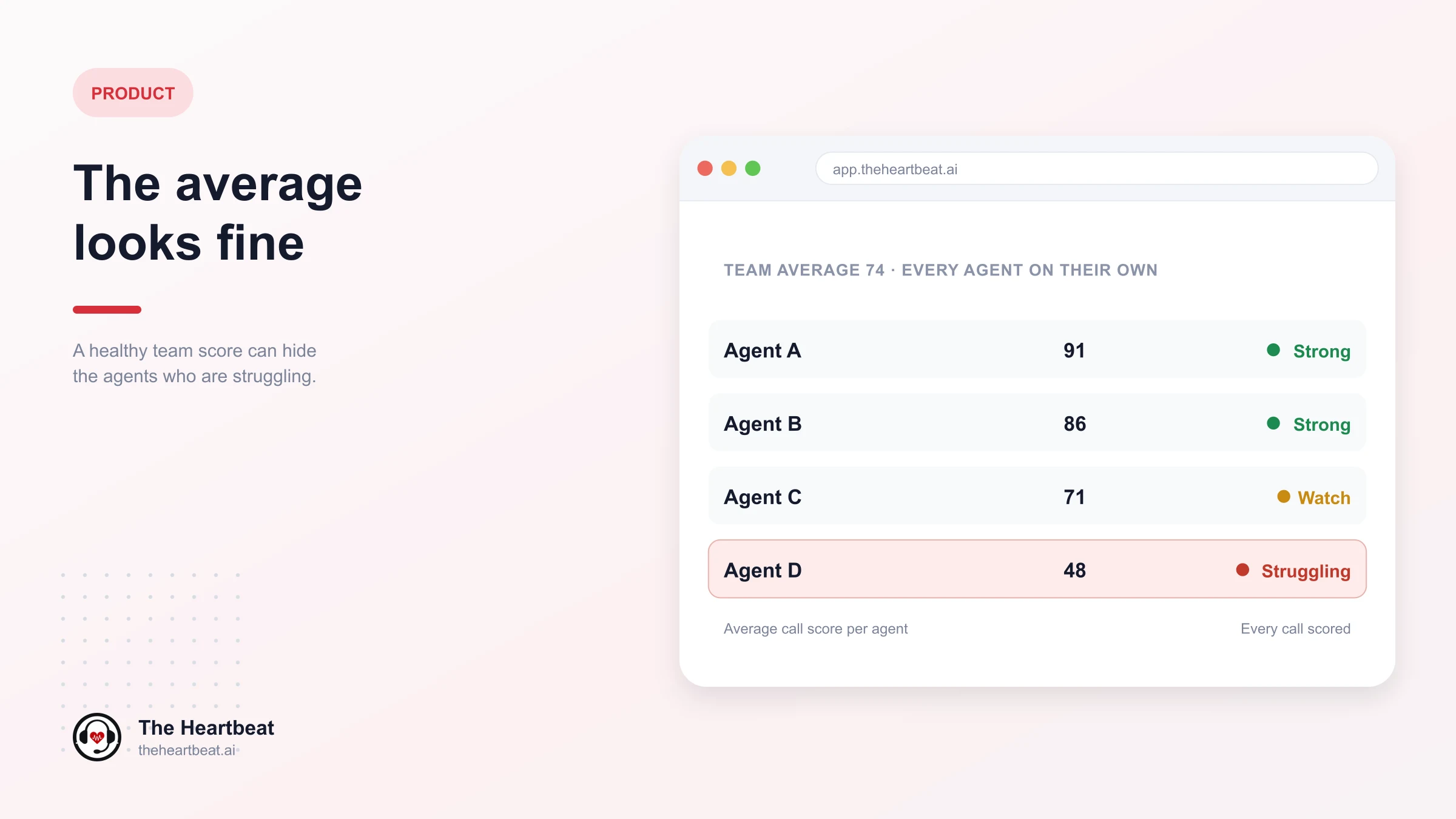
The monthly review starts with one number. The team scored 80%. That’s above target, up a little from last month. The meeting moves on.
But 80% is an average. It can mean every agent is doing reasonably well. It can also mean most agents are doing very well, and two are struggling badly enough that their customers are having a poor experience on almost every call.
From the team score alone, you can’t tell which.
How averages hide problems
An average blends everyone together. Strong agents pull the number up, weak agents pull it down, and the result lands somewhere comfortable in the middle.
Strong agents cover for struggling ones. A team of ten where eight agents score 90 and two score 40 averages 80. On paper, that team is fine.
Small teams move less than you’d think. One agent’s bad month barely shifts a department’s average. By the time it does, it’s been going on for a while.
The trend can look flat while individuals fall. If one agent improves and another declines by the same amount, the average doesn’t move at all.
Team averages invite team-wide fixes. “Our handling score is low” leads to a training session for everyone, when the real issue might be three specific agents.
Who gets hidden
The agents most likely to disappear inside an average are:
- New joiners, whose weaker scores are expected and easy to wave away.
- Agents on difficult queues, whose low scores get blamed on the process.
- Quiet, steady agents who used to be strong and have slowly slipped.
- High-volume agents, whose numbers look busy and productive even as their quality drops.
Each of these needs a different conversation. None of them is visible from the team score.
See each agent on their own
The useful view isn’t the team’s number. It’s every agent’s own number, side by side.
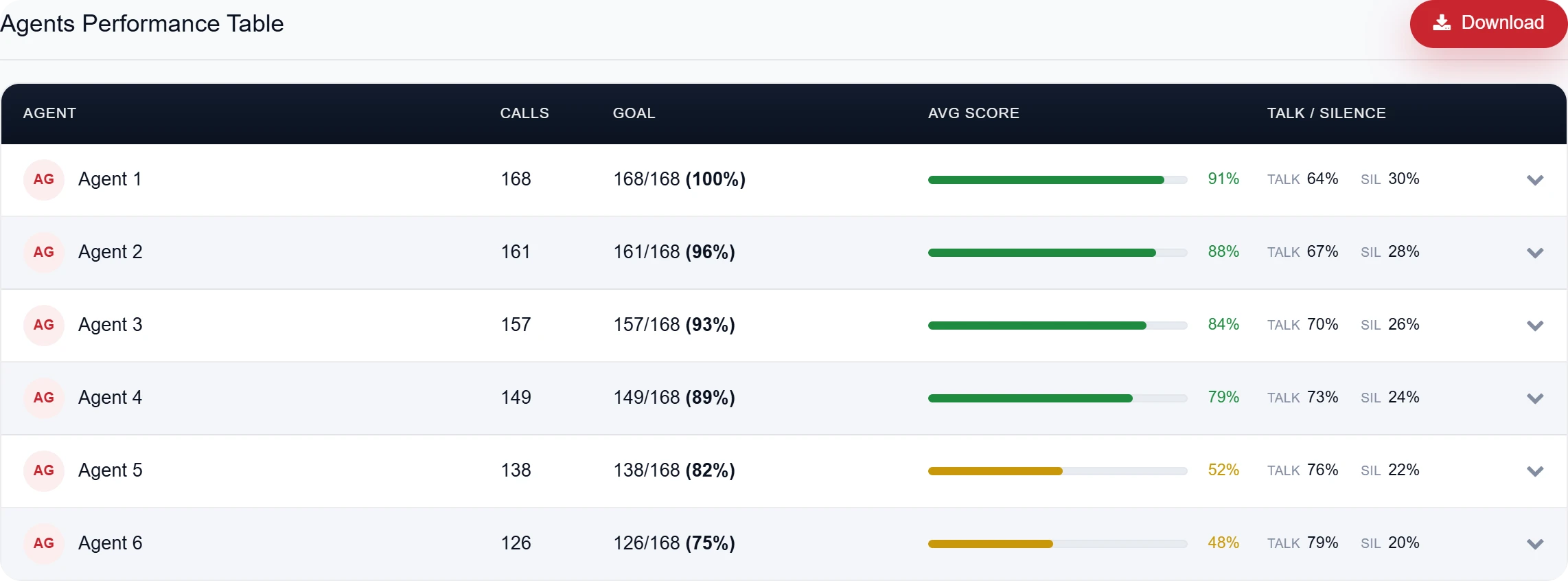
From The Heartbeat app: a team that averages 74, agent by agent. Four agents score between 79 and 91. Two are at 52 and 48, and they’re also the furthest behind on calls against goal. The team number hides both groups.
When each agent’s score sits next to the rest of the team, the agents pulling the average down stand out straight away. So do the ones quietly carrying it.
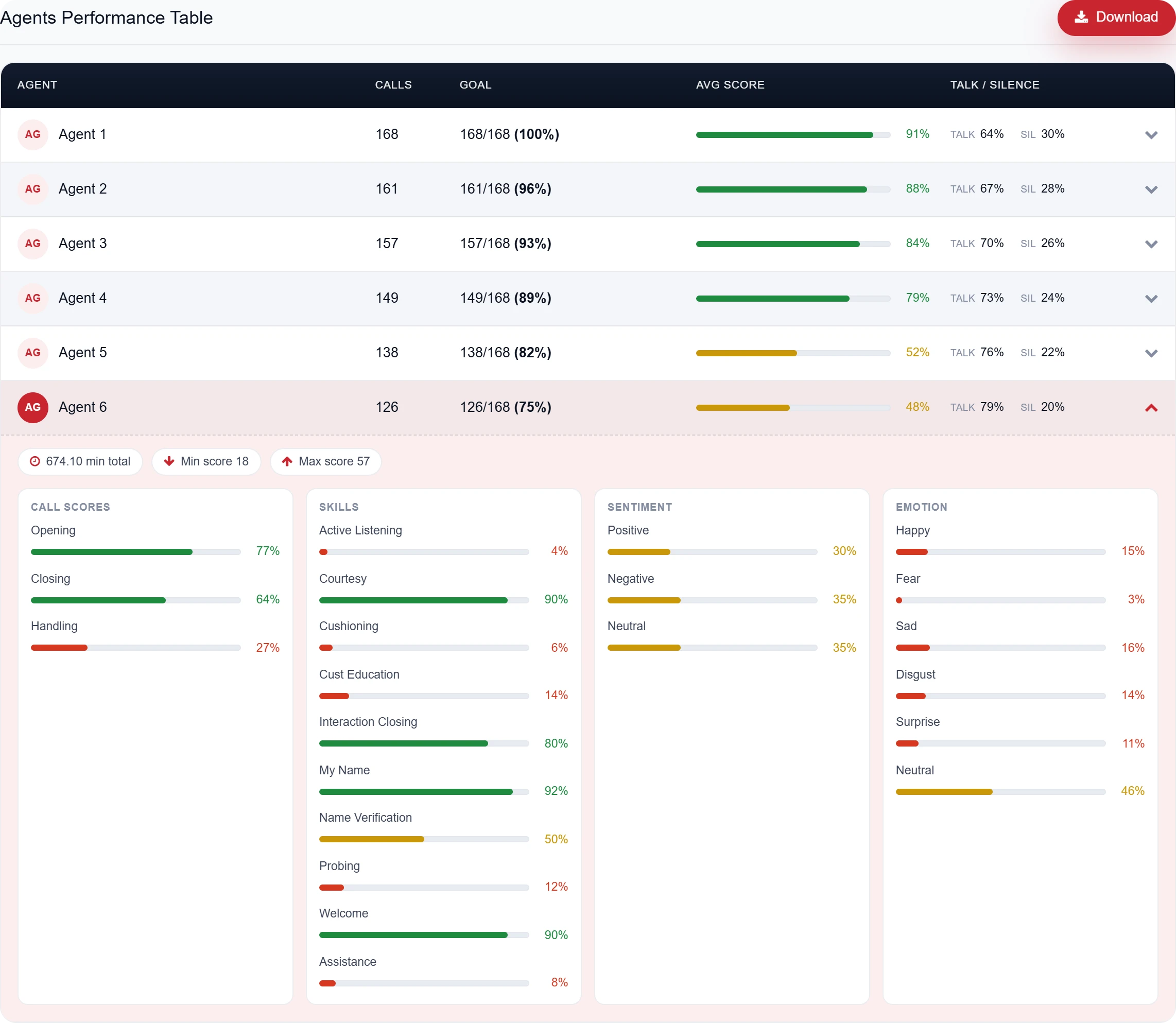
From The Heartbeat app: open the weakest agent’s row and the reason is right there. The opening is fine at 77, but handling is 27, with probing on 12% of calls and active listening on 4%. That’s a specific coaching plan, which the team average would never have shown.
Reading agent scores well
1. Start with the spread, not the average. How far apart are your best and weakest agents? A wide spread is a coaching opportunity a team average will never show.
2. Look at the bottom of the list first. The agents with the lowest scores are where coaching earns the most.
3. Check the stage, not just the total. An agent with a strong opening and close but a weak middle needs very different help from one who skips the opening.
4. Compare like with like. An agent on a complaints queue and one on a simple enquiry line shouldn’t be measured against each other without context.
5. Watch individual trends. An agent who has dropped ten points in a month matters more than a team that dropped one.
How The Heartbeat handles this
The Heartbeat reviews 100% of your agents’ calls, in any department. Analysts + AI go through every recording, in Hindi, English or Hinglish, and every AI flag is checked by a trained analyst before it reaches you.
The agent league table shows every agent’s own score, calls against goal, talk and silence, side by side. So instead of one comfortable team number, you see exactly which agents are pulling the average down, and which stage of the call is the reason. Your data stays in India, hosted on AWS ap-south-1 (Mumbai).
An average tells you how the team is doing. It never tells you who needs help.